How to stream TIBCO Cloud Integration App logs using TIBCO Cloud command line interface(“tibcli”) to ingest into third party log analysis tools like splunk.
Article ID: KB0073759
Updated On:
| Products | Versions |
|---|---|
| TIBCO Cloud | - |
Description
This solution will help address following questions :
How To stream TIBCO Cloud Integration App logs using TIBCO Cloud command line interface ("tibcli") ?
Or
How can we ingest TIBCO Cloud Integration App logs to third party log analysis tools like splunk?
Environment
Product : TIBCO Cloud Integration
Resolution
Step 1 :

Step 2:
Step 3: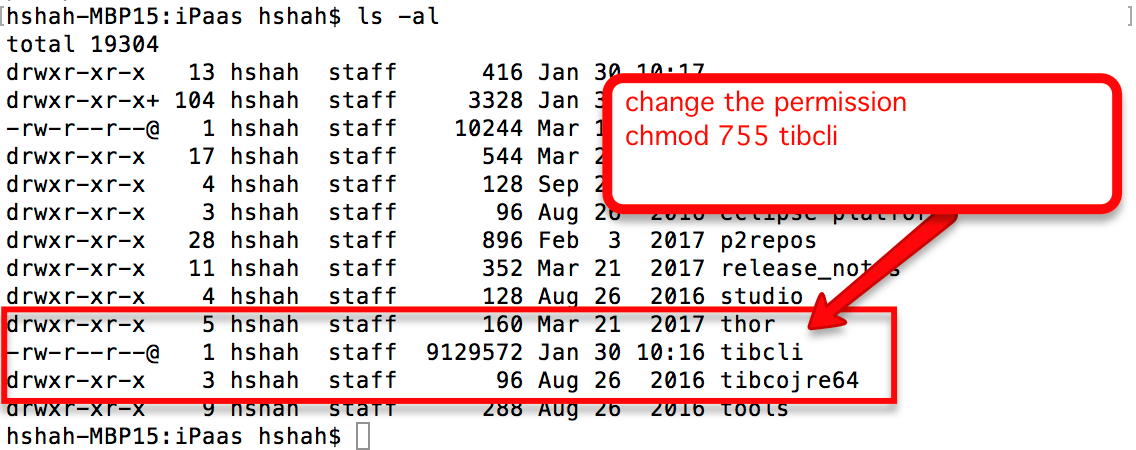
- Download latest TIBCO Cloud command line interface - tibcli from TIBCO Cloud Integration -->Downloads .
- Go to the below link and download the command line interface.
Step 2:
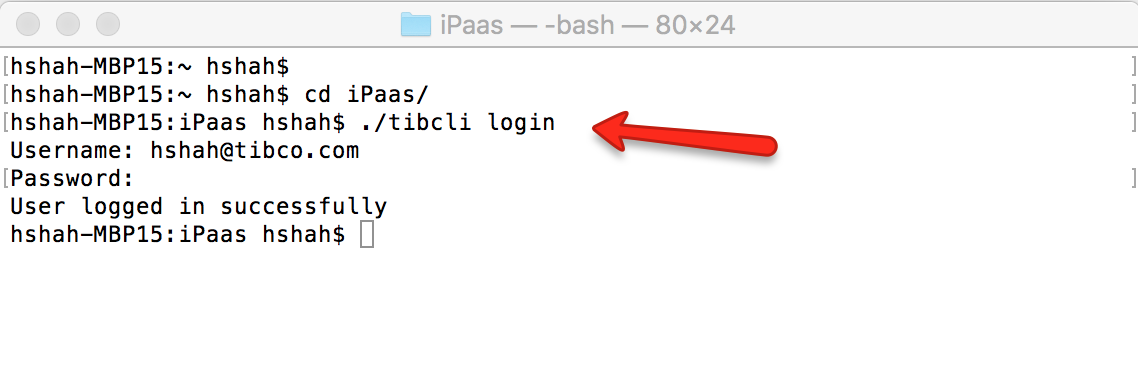
- Login to tibcli
- Open a terminal window and run the following command to login:
- ./tibcli login
- ./tibcli login
Step 3:
- Stream log and pipe it to your output
- Refer to the steps listed in TIBCO Cloud Integration Docs -->Using TIBCO Cloud™ Integration --> Using TIBCO Cloud Hybrid Connectivity---> Streaming Logs From Apps with TIBCO Cloud™ - Proxy Agent
- In some cases the “tibcli” binary on Mac/Windows does not run.
- On Mac, “tibcli” binary is downloaded without execute permission due to security reason , we need to change the permission using following command on Mac.> chmod 755 tibcli
- On Windows , right click on “tibcli.exe" -->Properties -->Security -->Authenticated Users -->Edit and give Full Control.
Issue/Introduction
How to stream TIBCO Cloud Integration App logs using TIBCO Cloud command line interface(“tibcli”) to ingest into third party log analysis tools like splunk.
Additional Information
Was this article helpful?
Yes
No
Powered by
